

KRWIN 앱 설치 방법: A Simple and Safe Download Guide

Mobile apps are a crucial component of today’s digital entertainment. They enable people to browse the Web from their cell phones and have easy access to different services. When looking for krwin 앱 설치, it is crucial to understand the download process, device compatibility, and security measures to make an informed decision.
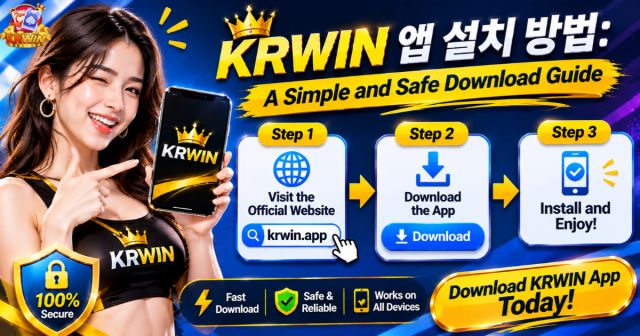
This guide provides general information on how to determine if an app is available, how to prepare your mobile device, and how to install an app safely. If you’re on an Android phone or other device, you should always check the source of the application before downloading anything. The availability and installation of the KRWIN app may differ, please check information from verified sources.
KRWIN 앱 설치 전에 확인해야 할 사항
Before beginning the krwin 앱 설치 process, take a moment to prepare your smartphone. A few basic checks can help prevent common installation problems.
Check device compatibility: Review your smartphone’s operating system and compare it with the application’s published requirements. An outdated operating system may prevent certain applications from working correctly.
Check available storage: Make sure your device has enough free space for the download and installation. Removing unnecessary files can help if your storage is nearly full.
Use a reliable internet connection: A stable connection can reduce interruptions during the download process. Avoid downloading installation files through suspicious public networks.
Verify the application source: Confirm that the website or app-store listing is genuinely associated with the intended service. A familiar name or logo does not automatically prove that an application is authentic.
Step-by-Step KRWIN 앱 설치 Guide
The installation procedure depends on whether a verified application is available for your device. Follow the instructions provided by the legitimate source rather than relying on unfamiliar download links.
Step 1: Find a Verified KRWIN App Source
Begin by checking whether KRWIN has an official application available through a recognized app store or a verified website. Review the developer information, application description, update history, and published requirements.
Avoid websites that offer unknown installation files or request personal information before showing basic download details. If you cannot confirm the source, do not proceed.
Step 2: Download the Application
If a verified app-store listing is available, open it and review the information before selecting the installation option.
If the provider offers another installation method, independently verify the website and follow its published instructions. Never assume that every file labeled KRWIN is safe to install.
Step 3: Complete the Installation
After downloading the application, allow your device to complete the installation process. Follow the prompts displayed by your operating system.
Pay attention to any security notifications. If your smartphone warns that a file may be unsafe or comes from an unverified developer, take the warning seriously. Do not disable security protections simply to complete an installation.
Step 4: Open and Review the Application
Once installation is complete, open the application and review its available information. Check the navigation menu, account instructions, privacy policy, and customer support details.
If registration is required, follow the verified account setup procedure. Use accurate information where necessary and create a strong, unique password.
주요 기능 및 모바일 이용 환경 살펴보기
After completing krwin 앱 설치, users may want to understand the application’s available features. The actual functions depend on the version and services offered by the provider.
Here are some important areas to review:
-
User interface: Check whether menus and page sections are clearly organized.
-
Account management: Review available options for managing account details and login information.
-
Mobile accessibility: See whether the application displays correctly on your smartphone.
-
Security settings: Look for available privacy controls and account protection options.
-
Customer support: Identify the verified channels for technical questions and account assistance.
Understanding these areas can help you become more familiar with the application before using its services.
Common KRWIN 앱 설치 Problems and Solutions
Sometimes users encounter technical issues while downloading or installing mobile applications. Here are a few common problems and practical steps to consider.
Download interruption: Check your internet connection and retry only through a verified source.
Insufficient storage: Free up space by removing unnecessary files or unused applications.
Device incompatibility: Review the application’s system requirements and check whether your smartphone supports the available version.
Installation warning: Read the notification carefully. Avoid bypassing security protections when the source cannot be verified.
Application not opening: Restart your device, check for operating system updates, and consult the provider’s verified support resources.
If the issue continues, avoid downloading replacement files from random websites.
Responsible Use and Final Thoughts
When it comes to understanding krwin 앱 설치, it’s not just about locating a download button. This includes checking compatibility, verifying the application source, checking permissions, and safe installation procedures.
When playing online games, check the conditions, requirements, and legal limitations of the website. Play for fun, establish personal boundaries and don’t overspend on necessities.
Using a cautious approach can help users make informed choices when trying out mobile apps. When learning about KRWIN and the mobile experience, always remember to download verified content, to secure devices and to play responsibly.
Anyone can join.
Anyone can contribute.
Anyone can become informed about their world.
"United We Stand" Click Here To Create Your Personal Citizen Journalist Account Today, Be Sure To Invite Your Friends.
Before It’s News® is a community of individuals who report on what’s going on around them, from all around the world. Anyone can join. Anyone can contribute. Anyone can become informed about their world. "United We Stand" Click Here To Create Your Personal Citizen Journalist Account Today, Be Sure To Invite Your Friends.
LION'S MANE PRODUCT
Try Our Lion’s Mane WHOLE MIND Nootropic Blend 60 Capsules
Mushrooms are having a moment. One fabulous fungus in particular, lion’s mane, may help improve memory, depression and anxiety symptoms. They are also an excellent source of nutrients that show promise as a therapy for dementia, and other neurodegenerative diseases. If you’re living with anxiety or depression, you may be curious about all the therapy options out there — including the natural ones.Our Lion’s Mane WHOLE MIND Nootropic Blend has been formulated to utilize the potency of Lion’s mane but also include the benefits of four other Highly Beneficial Mushrooms. Synergistically, they work together to Build your health through improving cognitive function and immunity regardless of your age. Our Nootropic not only improves your Cognitive Function and Activates your Immune System, but it benefits growth of Essential Gut Flora, further enhancing your Vitality.

Our Formula includes: Lion’s Mane Mushrooms which Increase Brain Power through nerve growth, lessen anxiety, reduce depression, and improve concentration. Its an excellent adaptogen, promotes sleep and improves immunity. Shiitake Mushrooms which Fight cancer cells and infectious disease, boost the immune system, promotes brain function, and serves as a source of B vitamins. Maitake Mushrooms which regulate blood sugar levels of diabetics, reduce hypertension and boosts the immune system. Reishi Mushrooms which Fight inflammation, liver disease, fatigue, tumor growth and cancer. They Improve skin disorders and soothes digestive problems, stomach ulcers and leaky gut syndrome. Chaga Mushrooms which have anti-aging effects, boost immune function, improve stamina and athletic performance, even act as a natural aphrodisiac, fighting diabetes and improving liver function. Try Our Lion’s Mane WHOLE MIND Nootropic Blend 60 Capsules Today. Be 100% Satisfied or Receive a Full Money Back Guarantee. Order Yours Today by Following This Link.


| Visits: | 1,839,563,455 |
| Stories: | 8,742,793 |
Whistler Blowers, Insiders

