

I Compared Zoho Bigin vs HubSpot So You Don’t Have To

- For solopreneurs and one-person businesses, Zoho Bigin is the better starting CRM. HubSpot free gives you a contact database. Bigin gives you an actual sales pipeline with automation — for $7/month.
- One G2 reviewer put it plainly: a single month of HubSpot Starter costs as much as a full year of Bigin Express.
- After reading this, you’ll know exactly which tool fits your situation — and the one question you should answer before signing up for either one.
Every week, someone in my audience tells me they signed up for HubSpot free, loved it for three months, and then got hit with a wall. Automation requires Starter. Multiple pipelines require Starter. Email sequences require Starter. Suddenly the “free CRM” costs $15–$20 a month, and they’re wondering why they didn’t just start with Zoho Bigin at $7. If that’s you right now, keep reading.
For a solopreneur comparing Zoho Bigin vs HubSpot, the short answer is this: Bigin at $7/user/month gives you a real sales pipeline, basic automation, and Zoho ecosystem integration from day one. HubSpot’s free CRM gives you unlimited contacts and zero cost — but no automation, no email sequences, and only one pipeline. The moment you need those things, HubSpot costs $15–$20/user/month (billed annually).
I dug into both tools to give you the honest version — including a few things that surprised me.
What Do You Need a CRM to Actually Do?
Before you pick a tool, get clear on what you’re solving. Not “manage my contacts” — that’s too vague. Get specific.
Are you losing track of where deals stand? Forgetting to follow up? Finding out a week later that someone went cold because you never sent that second email? Those are three different problems, and a CRM fixes all three — but only if you set it up to do those specific things.
For most solopreneurs, the list is short. You need to see where every potential client stands at a glance. You need a nudge to follow up before they go cold. You need a record of what was said and what comes next.
Both Bigin and HubSpot handle all of that. The difference is what it costs you to get there, and how much of the tool you’ll actually use.
Raju Vegesna, Chief Evangelist at Zoho, put it this way when Bigin launched: “We created Bigin to help small businesses achieve maximum growth with a minimal learning curve. Small businesses are able to stop relying on dozens of spreadsheets to manage customer activities and instead move to a CRM that is easy to use and allows them to focus on growing and building strong customer relationships.”
That quote is from 2020 and still describes the product in 2026. Bigin replaces your spreadsheet. It doesn’t replace Salesforce. For most solo operators, that’s exactly the right scope.
How the Pricing Stacks Up
Let’s look at what you get at each price point.
| Zoho Bigin | HubSpot Free | HubSpot Starter | |
|---|---|---|---|
| Monthly cost (annual billing) | Free / $7 / $12 / $18 | $0 | $15/seat/month |
| Annual cost (solo operator) | $84/year (Express) | $0 | $180/year |
| Visual sales pipeline | ✅ All plans | ✅ Basic | ✅ Multiple pipelines |
| Workflow automation | ✅ Express and up | ❌ Not included | ✅ Included |
| Email sequences | ✅ Via Zoho Campaigns | ❌ Not included | ✅ Included |
| Contact limit | 500 free / 50,000 paid | Unlimited | 1,000 marketing contacts |
| Zoho ecosystem hookup | ✅ Native | Via Zapier | Via Zapier |
| Setup time | ~30 minutes | ~30 minutes | ~2–3 hours |
The headline number from G2 reviewers: a single month of HubSpot Starter ($15) costs more than two months of Bigin Express ($7). One reviewer who switched noted that a full year of Bigin runs about what HubSpot charges for one month at its paid tier.
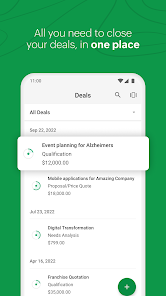
Bigin is the CRM built for small businesses that are done managing clients in spreadsheets.
Zoho Bigin is the CRM built for small businesses that are done managing clients in spreadsheets. Visual pipeline, built-in automation, and a 30-minute setup — all for $7/month.
What Real Users Say About Both Tools
Pricing pages tell you what a tool costs. Reviews tell you what it’s like to live with it. Here’s what real people said about both in 2025 and 2026.
What Bigin Users Say
“Before Bigin, we struggled to keep track of leads, follow-ups, and deal stages across various spreadsheets, which often led to missed opportunities and delayed responses.” — Obed M., Operations Manager, via Capterra
“It does not overwhelm you like other CRMs, and gets the work done — managing your leads and deals, tracking them, and having timely reminders for the follow-ups.” — Rahul Dev M., CEO, via Capterra
“What I like best is how incredibly easy it is to set up and start using immediately; unlike other CRMs I’ve tried, there’s no steep learning curve.” — Verified reviewer, G2
People came from spreadsheets or overcomplicated CRMs, found Bigin in an afternoon, and are still using it years later. That’s the point.
Now the honest side. Bigin’s main limitation comes up in almost every third review.
“Integration options are often seen as restrictive. Users report difficulties connecting to popular tools like LinkedIn, Facebook Ads, and Google Calendar.” — SoftwareAdvice editorial summary, 2026
That one’s real. If you’re running tools outside the Zoho ecosystem, Bigin’s integrations take more work. You’ll either use Zoho Flow or build a Zapier bridge. For most solopreneurs running Zoho Campaigns, Zoho Bookings, or Zoho One, this isn’t an issue — everything connects natively. If you’re deeply embedded in non-Zoho tools, factor that in.
What HubSpot Users Say
“The free plan covers a lot, but once you upgrade the costs get pretty high — and you might hit some feature caps sooner than you’d expect.” — Andrew W., via Capterra
“HubSpot can get expensive really fast if you want to use all of its useful features like automations. You really have to commit to using and growing with this tool, or choose another tool which focuses on more specific tasks.” — Linh Manh D., Owner, via Capterra
One reviewer summed up what I hear from my own audience: “The paid plans feel excessive and seem designed to keep small businesses from competing.” That’s a strong take. HubSpot is a legitimate platform. It’s just a platform priced for companies with budgets, not for solopreneurs on $17/day.
On the flip side, HubSpot’s free CRM has genuine fans:
“HubSpot is perfect as a startup CRM. We were looking for something that would let us quickly gather a lot of information about each lead. Each of us was using our own tool, and sometimes we talked to the same client without knowing what had been said. Thanks to HubSpot, we have all the emails, notes, and information about each lead for a proper follow-up.” — Verified reviewer, Capterra
That reviewer is describing a team, not a solopreneur. And that matters. HubSpot free shines when multiple people need to share contact records. For a one-person business, you’re paying for infrastructure you don’t need.
Your Situation, Straight Up
Skip the theory. Here’s how this plays out depending on who you are.
You’re a consultant tracking 10–30 active proposals
You need a visual board showing where each proposal stands, a reminder to follow up in 3 days, and a log of every email. Bigin does all three at $7/month. With HubSpot free, you get the board and the log. The automated follow-up reminder requires Starter.
Winner: Bigin.
You’re a coach who books discovery calls through Zoho Bookings
Bigin connects to Zoho Bookings natively. When someone books a call, a deal appears in your pipeline automatically. No Zapier, no manual entry. With HubSpot, you’d need either Calendly or HubSpot Meetings (Starter+), and the automatic deal creation requires a Zap or manual setup.
Winner: Bigin. And the Zoho ecosystem gets stronger the more tools you add. If you’re already on Zoho Bookings or Zoho One, Bigin is the obvious CRM choice.
You’re just starting out and need to store contacts — nothing more
HubSpot free handles unlimited contacts with zero cost. If you’re not running a pipeline yet and you want a searchable contact database with email history, HubSpot free is genuinely the right call. Don’t pay for features you’re not using.
Winner: HubSpot Free.
You’re a small team of 3–5 people with a real sales process
At three people, Bigin Express runs $21/month. HubSpot Starter runs $45/month. Bigin still wins on price, and the team gets the same pipeline features. If your team needs heavy marketing automation or detailed multi-touch reporting, HubSpot Starter starts to earn its cost. Otherwise, Bigin’s sufficient and cheaper.
Winner: Bigin for most, HubSpot for teams with complex marketing needs.
Decision Framework: Who Should Pick Which
If you are…
Use this
Because
A solopreneur tracking 10–50 active deals
Zoho Bigin
Full pipeline + automation at $7/month, no upgrade pressure
Already in the Zoho ecosystem (One, Bookings, Campaigns)
Zoho Bigin
Native integrations, no Zapier needed, one login
A freelancer who needs contact storage only, no pipeline
HubSpot Free
Unlimited contacts, $0, no pipeline features needed yet
A growing team that will hit 5+ people soon
HubSpot Starter
Better multi-seat scaling, broader third-party ecosystem
Budget under $15/month total for CRM
Zoho Bigin
Full pipeline, automation, and telephony at $7/month
Planning to scale marketing automation seriously
HubSpot Pro
Strongest multi-channel automation, but budget $90+/month
How Long Does Setup Take?
Zoho’s official positioning on Bigin is a 30-minute setup. In practice, for a solopreneur starting from a spreadsheet, here’s what setup looks like:
- Import contacts from CSV or Gmail: 15–30 minutes
- Create your pipeline stages: 20 minutes
- Set up one workflow automation (e.g., follow-up reminder after 3 days of no response): 30 minutes
- Connect Zoho Campaigns or Zoho Bookings: 10 minutes
Realistic total: a focused afternoon. One G2 reviewer described it: “The pipeline view is simple and clean. I started using it for my consulting business and the setup was surprisingly easy.”
HubSpot free gets to a working state in about 30 minutes. The issue isn’t setup. It’s what you hit once you’re in there. Automation setup on HubSpot Starter takes 2–3 hours if you’re configuring sequences and triggers from scratch. HubSpot’s interface is powerful and well-documented. It’s just more of it than a solopreneur usually needs.
The DIYMarketers Verdict
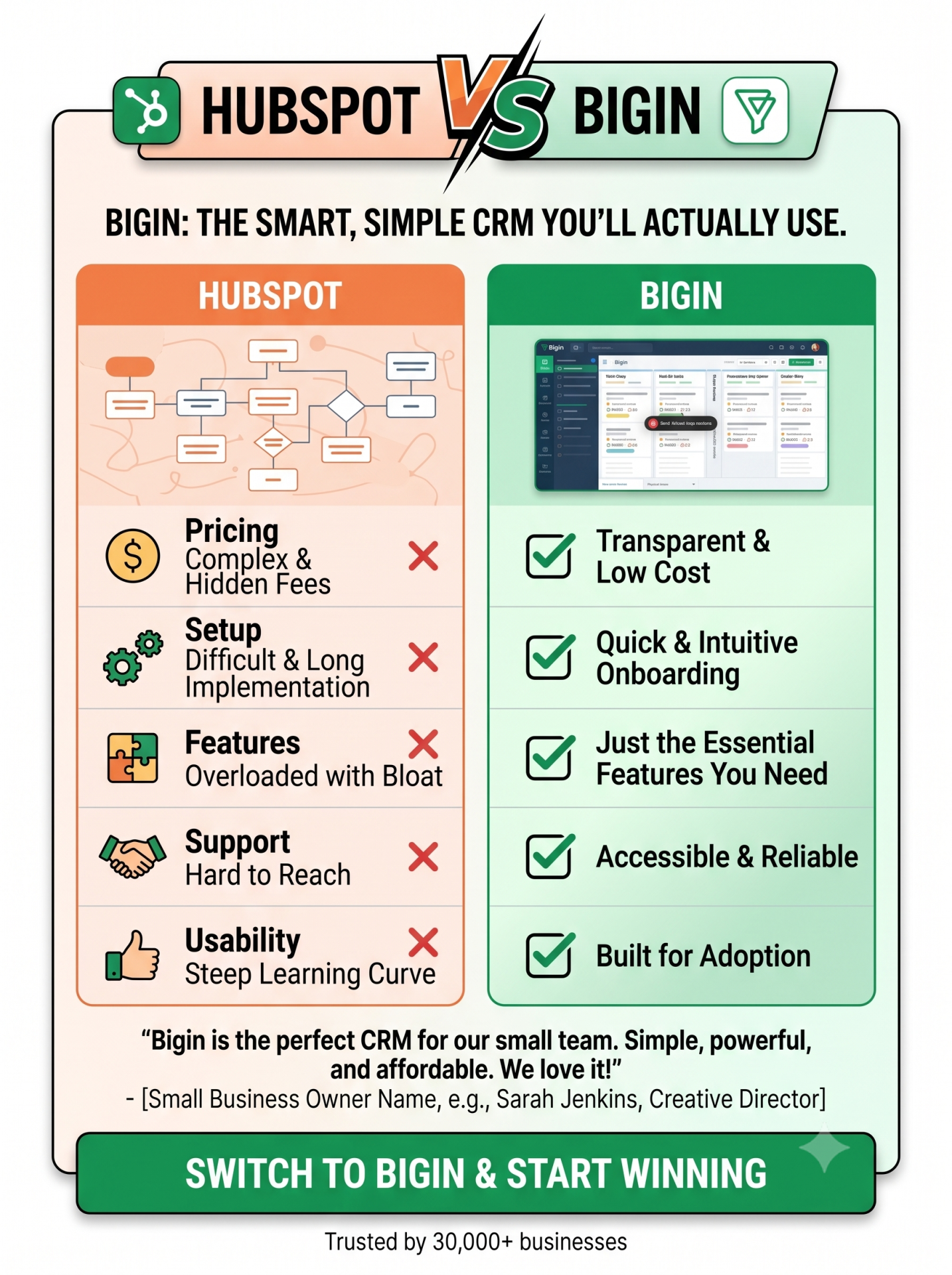
Here’s my honest take. If you’re a solopreneur or a small team that wants a real pipeline, follow-up automation, and a path to Zoho One when you’re ready to consolidate tools, start with Bigin. Seven dollars a month is fair for what you get, and the Zoho ecosystem around it makes it a long-term play, not just a starter tool.
If you need a contact database and nothing more, HubSpot free earns its spot. Keep it until you outgrow it, then come back to this comparison.
The one I’d push back on: don’t start with HubSpot free just because it’s free, hit the automation wall six weeks in, pay $15/month, and then realize you paid the same price for a tool that was designed for a bigger company. That detour costs you time and money.
For a hands-on look at setting up Bigin from scratch, my Zoho Bigin pipeline setup guide walks through the whole thing step by step.
Disclosure: Some links in this article are affiliate links. If you sign up through my link, I earn a commission at no additional cost to you. I only recommend tools I use in my own business.
Frequently Asked Questions
Yes. Bigin accepts CSV imports, and HubSpot exports contacts, companies, and deals in standard CSV format. The migration takes about an hour for a typical solopreneur contact list. Custom fields need to be recreated manually in Bigin before you import, so map those out first before you start.
Bigin scores 9.1 on Ease of Use on G2, compared to HubSpot’s 8.7. Reviewers consistently describe it as simpler to get running than most CRMs in its category. The interface is pipeline-first, which means you see your deals — not a wall of menus and settings — when you log in.
HubSpot free is genuinely free for contact storage and basic deal tracking. The catch is that workflow automation, email sequences, and multiple pipeline management all require Starter at $15/seat/month (annual billing). For a solopreneur who needs those features — most do within 60 days — the real starting cost is $15/month, not $0.
Bigin connects natively to Zoho Campaigns, which starts at $3.50/month for small lists. The two tools share contact data automatically — no Zapier required. This is a real practical advantage if you plan to run both CRM and email marketing from the same place without paying Zapier fees.
For a solo operator or team up to about 10 people, Bigin scales cleanly through its Express ($7), Premier ($12), and Bigin 360 ($18) tiers. Bigin 360 handles unlimited automations, multiple pipelines, and advanced reporting. The next step after that is full Zoho CRM — and if you’re already in the Zoho ecosystem, that migration is a natural handoff rather than a platform switch.
Additional Reading
- Use Zoho Bigin to Turn Spreadsheets into a Sales Pipeline That Closes Deals
- Free CRM for Small Business — Gmail, Zoho Bigin, or the Hybrid of Both
- Zoho One Review: The $1-a-Day Business Platform I Swear By
Not Sure Which Stack Fits Your Business?
Book a Fix-It Session with Ivana. You’ll get a specific look at your current tool stack, what you’re over-paying for, and which Zoho tools fit your business model. No guessing. No generic recommendations. A clear answer in 30–60 minutes.
Low budget marketing strategies for CEOs with no marketing department. Join DIYMarketers.com for free marketing tips.
Source: https://diymarketers.com/zoho-bigin-vs-hubspot/
Anyone can join.
Anyone can contribute.
Anyone can become informed about their world.
"United We Stand" Click Here To Create Your Personal Citizen Journalist Account Today, Be Sure To Invite Your Friends.
Before It’s News® is a community of individuals who report on what’s going on around them, from all around the world. Anyone can join. Anyone can contribute. Anyone can become informed about their world. "United We Stand" Click Here To Create Your Personal Citizen Journalist Account Today, Be Sure To Invite Your Friends.
LION'S MANE PRODUCT
Try Our Lion’s Mane WHOLE MIND Nootropic Blend 60 Capsules
Mushrooms are having a moment. One fabulous fungus in particular, lion’s mane, may help improve memory, depression and anxiety symptoms. They are also an excellent source of nutrients that show promise as a therapy for dementia, and other neurodegenerative diseases. If you’re living with anxiety or depression, you may be curious about all the therapy options out there — including the natural ones.Our Lion’s Mane WHOLE MIND Nootropic Blend has been formulated to utilize the potency of Lion’s mane but also include the benefits of four other Highly Beneficial Mushrooms. Synergistically, they work together to Build your health through improving cognitive function and immunity regardless of your age. Our Nootropic not only improves your Cognitive Function and Activates your Immune System, but it benefits growth of Essential Gut Flora, further enhancing your Vitality.

Our Formula includes: Lion’s Mane Mushrooms which Increase Brain Power through nerve growth, lessen anxiety, reduce depression, and improve concentration. Its an excellent adaptogen, promotes sleep and improves immunity. Shiitake Mushrooms which Fight cancer cells and infectious disease, boost the immune system, promotes brain function, and serves as a source of B vitamins. Maitake Mushrooms which regulate blood sugar levels of diabetics, reduce hypertension and boosts the immune system. Reishi Mushrooms which Fight inflammation, liver disease, fatigue, tumor growth and cancer. They Improve skin disorders and soothes digestive problems, stomach ulcers and leaky gut syndrome. Chaga Mushrooms which have anti-aging effects, boost immune function, improve stamina and athletic performance, even act as a natural aphrodisiac, fighting diabetes and improving liver function. Try Our Lion’s Mane WHOLE MIND Nootropic Blend 60 Capsules Today. Be 100% Satisfied or Receive a Full Money Back Guarantee. Order Yours Today by Following This Link.


| Visits: | 1,827,307,097 |
| Stories: | 8,682,697 |
Whistler Blowers, Insiders

