

Beginner's Guide to Turn an Image into an Embroidery File

Embroidery is a great way to bring artwork to life. You can add a logo to a shirt, place a design on a cap, or create a gift with a personal touch. Many people think they can load a picture into an embroidery machine and start stitching. That is not how embroidery works. A picture must first be changed into a special embroidery file that tells the machine where to place every stitch.
If you want to Turn an image into an embroidery file, it is important to know that the process is called embroidery digitizing. It is not just changing one file type into another. Every stitch, angle, and path must be planned with care. A well-made embroidery file gives clean stitching, fewer thread breaks, and a better-looking design.
What Is an Embroidery File?
An embroidery file is a digital file made for an embroidery machine. It contains stitch data instead of image data. The file tells the machine:
-
Where each stitch starts.
-
Where each stitch ends.
-
What stitch type to use.
-
Which thread color comes next.
-
The order of stitching.
Without this information, an embroidery machine cannot create a design correctly.
Why an Image Cannot Be Used Directly
Images such as JPG, PNG, or BMP files only contain pixels. These pixels look great on a screen, but they do not tell an embroidery machine how to sew.
An embroidery machine needs stitch instructions instead of colored dots. That is why every image must be digitized before embroidery begins.
This extra step helps create smooth stitching and neat details on fabric.
What Is Embroidery Digitizing?
Embroidery digitizing is the process of changing artwork into stitch data.
An experienced digitizer studies the design and decides:
Best Stitch Types
Different parts of a design need different stitches.
-
Satin stitches for text and borders.
-
Fill stitches for large areas.
-
Running stitches for fine lines.
Each stitch has its own purpose.
Stitch Direction
The angle of stitches changes how light reflects from the thread. Good stitch direction also makes the design look smooth and natural.
Stitch Density
Too many stitches can make the fabric stiff.
Too few stitches can leave gaps.
Finding the right balance takes skill and experience.
Choose the Right Image
The quality of your image matters.
A clean image is much easier to digitize than a blurry one.
The best images usually have:
-
Sharp edges.
-
High resolution.
-
Clear colors.
-
Simple backgrounds.
Vector artwork is often the easiest format because it stays clear at any size.
Prepare the Artwork
Before digitizing starts, clean up the image.
You can:
-
Remove unwanted objects.
-
Improve the contrast.
-
Fix rough edges.
-
Simplify tiny details.
Small details that look nice on a screen may not stitch well on fabric.
A simple design often produces better embroidery.
Select the Correct File Format
Different embroidery machines use different file formats.
Some common embroidery file types include:
-
DST
-
PES
-
EXP
-
JEF
-
VP3
-
HUS
Always check which format your embroidery machine supports before exporting the design.
Use Professional Digitizing Software
Professional digitizers use special software to build embroidery files.
These programs allow them to:
-
Create stitch paths.
-
Adjust stitch density.
-
Change stitch angles.
-
Add underlay stitches.
-
Preview the final embroidery.
The software does not do all the work. The user still needs skill and experience to create a clean design.
Test the Design
Testing is one of the most important steps.
Even a perfect-looking file on a computer can stitch differently on fabric.
Always sew a sample before starting a full production run.
A test stitch helps you find:
-
Loose stitches.
-
Thread breaks.
-
Gaps.
-
Pulling fabric.
-
Color order mistakes.
Small adjustments after testing often make a big difference.
Common Mistakes Beginners Make
Many beginners run into the same problems.
Using Low-Quality Images
Blurry images make digitizing harder and reduce embroidery quality.
Making Designs Too Small
Very small text and fine details often disappear during stitching.
Ignoring Fabric Type
Different fabrics behave differently.
A design that works well on cotton may not stitch well on fleece or stretchy material.
Skipping Test Stitching
Never assume the file is perfect without testing it first.
Testing saves both time and materials.
Tips for Better Embroidery Results
Here are a few simple tips that can improve every project.
Use Good Thread
Quality thread creates cleaner stitches and lasts longer.
Pick the Right Needle
Different fabrics need different needles.
Using the wrong needle can damage both the fabric and the design.
Stabilize the Fabric
A stabilizer keeps the fabric from moving during embroidery.
This helps the finished design stay neat and even.
Keep Designs Simple
Simple designs usually stitch faster and look cleaner than designs filled with tiny details.
When Should You Hire a Professional?
Simple artwork can sometimes be digitized by beginners.
However, detailed logos, small lettering, and complex artwork often need expert attention.
Professional digitizers understand how stitches behave on different fabrics. They know how to reduce thread breaks, improve stitch flow, and create files that work well in production.
Many businesses trust Absolute Digitizing because experienced digitizers carefully prepare files that deliver consistent embroidery quality across different machines and materials.
Benefits of Professional Digitizing
Working with experienced digitizers offers several advantages.
Better Stitch Quality
Professionally created files produce cleaner embroidery.
Faster Production
Good files reduce machine stops and thread breaks.
Lower Material Waste
Accurate files mean fewer failed embroidery runs.
Consistent Results
The same design can be stitched many times with reliable quality.
These benefits save both time and money.
Final Thoughts
Learning how embroidery files are created is the first step toward producing beautiful stitched designs. Good embroidery is not only about having a nice image. It also depends on careful digitizing, proper stitch settings, suitable materials, and thorough testing. By understanding these basics, beginners can avoid common mistakes and improve their embroidery projects with confidence. Whether you create designs for personal use or business, taking the time to prepare files correctly will always lead to better results. For projects that require accuracy, clean stitching, and dependable production files, many embroidery professionals choose Absolute Digitizing to help transform artwork into machine-ready embroidery designs that deliver consistent, high-quality results.
Anyone can join.
Anyone can contribute.
Anyone can become informed about their world.
"United We Stand" Click Here To Create Your Personal Citizen Journalist Account Today, Be Sure To Invite Your Friends.
Before It’s News® is a community of individuals who report on what’s going on around them, from all around the world. Anyone can join. Anyone can contribute. Anyone can become informed about their world. "United We Stand" Click Here To Create Your Personal Citizen Journalist Account Today, Be Sure To Invite Your Friends.
LION'S MANE PRODUCT
Try Our Lion’s Mane WHOLE MIND Nootropic Blend 60 Capsules
Mushrooms are having a moment. One fabulous fungus in particular, lion’s mane, may help improve memory, depression and anxiety symptoms. They are also an excellent source of nutrients that show promise as a therapy for dementia, and other neurodegenerative diseases. If you’re living with anxiety or depression, you may be curious about all the therapy options out there — including the natural ones.Our Lion’s Mane WHOLE MIND Nootropic Blend has been formulated to utilize the potency of Lion’s mane but also include the benefits of four other Highly Beneficial Mushrooms. Synergistically, they work together to Build your health through improving cognitive function and immunity regardless of your age. Our Nootropic not only improves your Cognitive Function and Activates your Immune System, but it benefits growth of Essential Gut Flora, further enhancing your Vitality.
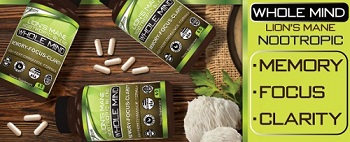
Our Formula includes: Lion’s Mane Mushrooms which Increase Brain Power through nerve growth, lessen anxiety, reduce depression, and improve concentration. Its an excellent adaptogen, promotes sleep and improves immunity. Shiitake Mushrooms which Fight cancer cells and infectious disease, boost the immune system, promotes brain function, and serves as a source of B vitamins. Maitake Mushrooms which regulate blood sugar levels of diabetics, reduce hypertension and boosts the immune system. Reishi Mushrooms which Fight inflammation, liver disease, fatigue, tumor growth and cancer. They Improve skin disorders and soothes digestive problems, stomach ulcers and leaky gut syndrome. Chaga Mushrooms which have anti-aging effects, boost immune function, improve stamina and athletic performance, even act as a natural aphrodisiac, fighting diabetes and improving liver function. Try Our Lion’s Mane WHOLE MIND Nootropic Blend 60 Capsules Today. Be 100% Satisfied or Receive a Full Money Back Guarantee. Order Yours Today by Following This Link.


| Visits: | 1,823,525,897 |
| Stories: | 8,676,961 |
Whistler Blowers, Insiders

