

What I Learned When My Business Google Account Got Hacked (11 Digital Security Tips for Real People)

I have been on the internet for over 25 years. I started at a website hosting company in 1999, and I’ve worked somewhere “internet-y” ever since. I’ve built websites, done SEO for other companies, and even been paid to manage social media accounts. I would have called myself a pretty well-rounded internet denizen.
And yet, friend, my business Google account got hacked.
I got my Gmail account back when you had to be invited to have one, so I’ve used it for decades. A LOT of my life is connected to it: my Google Drive full of old photos and videos of my kids, my YouTube payments, my Google Fi phone number, and probably a million other things I can’t think of right now.
So how the heck did it happen? Hold onto your britches, because this is a good one. They got me through my YouTube channel. Sigh.
If you’re an Etsy seller, blogger, or solopreneur running your business on Google, these digital security tips are the ones I wish somebody had drilled into my head BEFORE it happened to me.
How My Google Account Got Hacked
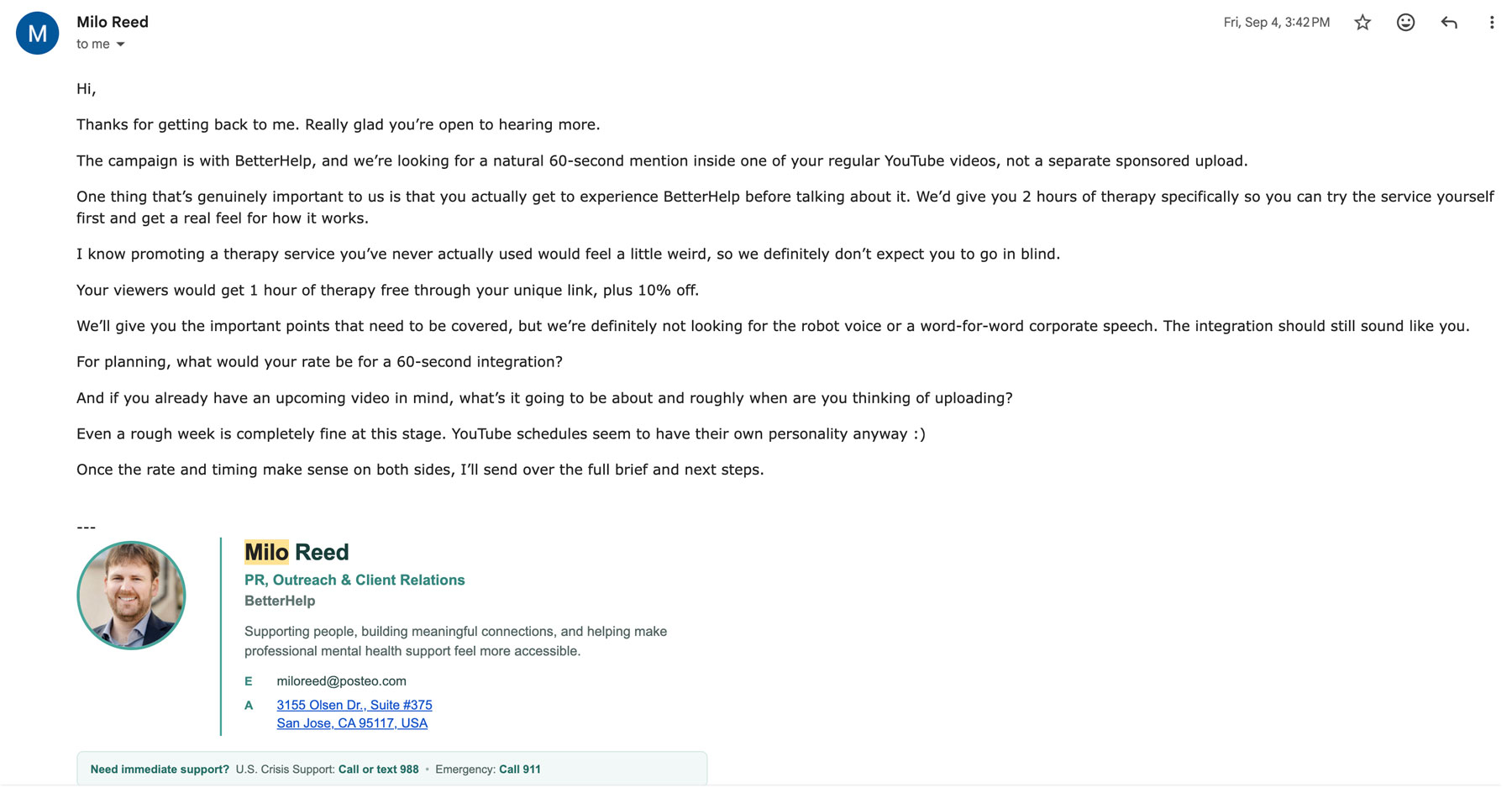
The pitch. It was a normal day, with the usual pitches coming in asking me to add a link to my website or make a video for some random company. Then “Milo” emailed. His pitch looked like all the others, but with a great twist: it was for BetterHelp, a company that DOES advertise on YouTube channels all the time. The only thing I could have caught was that he had a poste.com email address instead of a BetterHelp one. That’s not unusual for the PR people who email me, so it didn’t raise a flag.
The grab. Here’s where they stole my account, and it was so darn slick. He sent a link to sign up for the program, and the URL included Impact. Impact is a big affiliate platform that many creators use, so it looked totally legit. Then “Milo” said I needed to sign into my YouTube account so they could track analytics. Fair enough! I figured I was already signed into Impact because I hadn’t been prompted, which is pretty normal.
I typed in my YouTube email, and the site asked for two-factor authentication. I HAD that turned on, so I entered the code. That’s when everything went to hades.
The site didn’t work very well afterward, but Impact isn’t my favorite affiliate platform (I’ve had payment headaches there), so technical glitches didn’t seem like a big deal.
Finding out. I popped over to Gmail to tell “Milo” I’d submitted my info, and I was logged out. My password didn’t work, and it said it had been changed a minute ago. Wait, WHAT?
Then my husband, whose email is my backup email, told me he’d gotten messages that my name, email, address, and backup info had all been changed. Crap. Every device I tried was logged out, and none of them knew this new mysterious password. Thank God my YouTube channel was still up and looked fine (for the moment).
It took a little over a week to get my email back. My YouTube channel went down a couple of weeks ago, and I’m still waiting to get it back. Here’s everything I learned along the way.
11 Digital Security Tips for Real People
1. Set Up a Passkey for Your Google Account Today
I’ll be honest: I didn’t know what a passkey was until AFTER I got hacked. Basically, it lets you sign in with your fingerprint, your face, or your device’s screen lock instead of typing a password. Because it’s tied to the real Google site, it’s much harder for a scammer to trick you into handing it over on a fake page. That’s the exact kind of trick that got me.
Do this today: Follow Google’s passkey instructions. It took me longer to read about it than it will take you to set it up!
2. Turn On Two-Step Verification (and Know Where It Falls Short)
Two-step verification is still important, so please turn it on. But here’s my “DUH” moment: it didn’t save me. I HAD it on, and I typed the code right into the scammers’ fake page. Two-step verification is great when a thief only has your password, but it can’t help if you hand over the password AND the code yourself. That’s why a passkey is the stronger move.
Do this today: Turn on two-step verification if you haven’t, and then add the passkey from tip #1 on top of it. Think of it as a deadbolt AND a chain lock.
3. Download Your Backup Codes Before You Ever Need Them
Backup codes are a set of one-time codes you can use to sign in when you can’t get your normal verification. You have to generate them AHEAD of time, so they’re useless if you wait until you’re locked out. (Ask me how I know. Actually, don’t.)
Do this today: Grab your codes using Google’s backup code steps. Then print them and tuck them somewhere safe, like your file cabinet. Don’t store them in the very Gmail account they’re meant to rescue!
4. Double-Check Your Recovery Email, Phone, and Face Scan Options
Here’s a little silver lining: my husband’s email was my backup email, and that’s how we KNEW something was wrong so fast. He got the alerts that my name, address, and everything else had been changed. During my recovery, Google also had me do a face scan so I could show them my cute cheeks and prove it was really me. I’m not sure exactly where that lives in my settings, so poke around under “Security & sign-in” in your Google account and see which recovery options you have.
Do this today: Open your Google account’s security settings and make sure your recovery email and phone number are current. Ideally, your recovery email belongs to someone you trust who will actually notice a weird message.
5. Never Click a Link and Then Enter Your Password
I was in a hurry when I was setting up that fake BetterHelp account, and I didn’t stop to think until it was too late. Here’s what I know now: if a legitimate company wants to connect with you, they’ll send you a link to sign up for THEIR platform. They won’t ask for your YouTube password. Think about it, friend. A company that needed my password to “track analytics” was a giant red flag hiding in plain sight.
Do this today: Make this your new rule: if you arrived at a login page by clicking a link in an email, don’t type your password there. Close it, open a fresh browser tab, and go to the site yourself. And if anyone asks for your password to “connect” something? It’s a hard no from me, forever.
6. Question Every Brand Pitch, Even the Ones That Look Perfect
If you’re a blogger, creator, or Etsy seller, your inbox is probably full of pitches. Mine sure is. Collabs, link placements, sponsored videos, you name it. That’s exactly why this scam worked. It blended right in with my normal Tuesday. The only clue was that email address, and I’ve seen plenty of legit PR people use those.
[INTERNAL LINK 1: place inside this section, something like "how to vet brand collaborations" or "working with brands as a creator"]
Do this today: Before you respond to any pitch, check the company’s official website for a way to contact their partnerships team, and verify the person’s email domain. If you can’t confirm it, treat it like a stranger knocking on your door.
7. Understand How Slick Today’s Online Security Scams Really Are
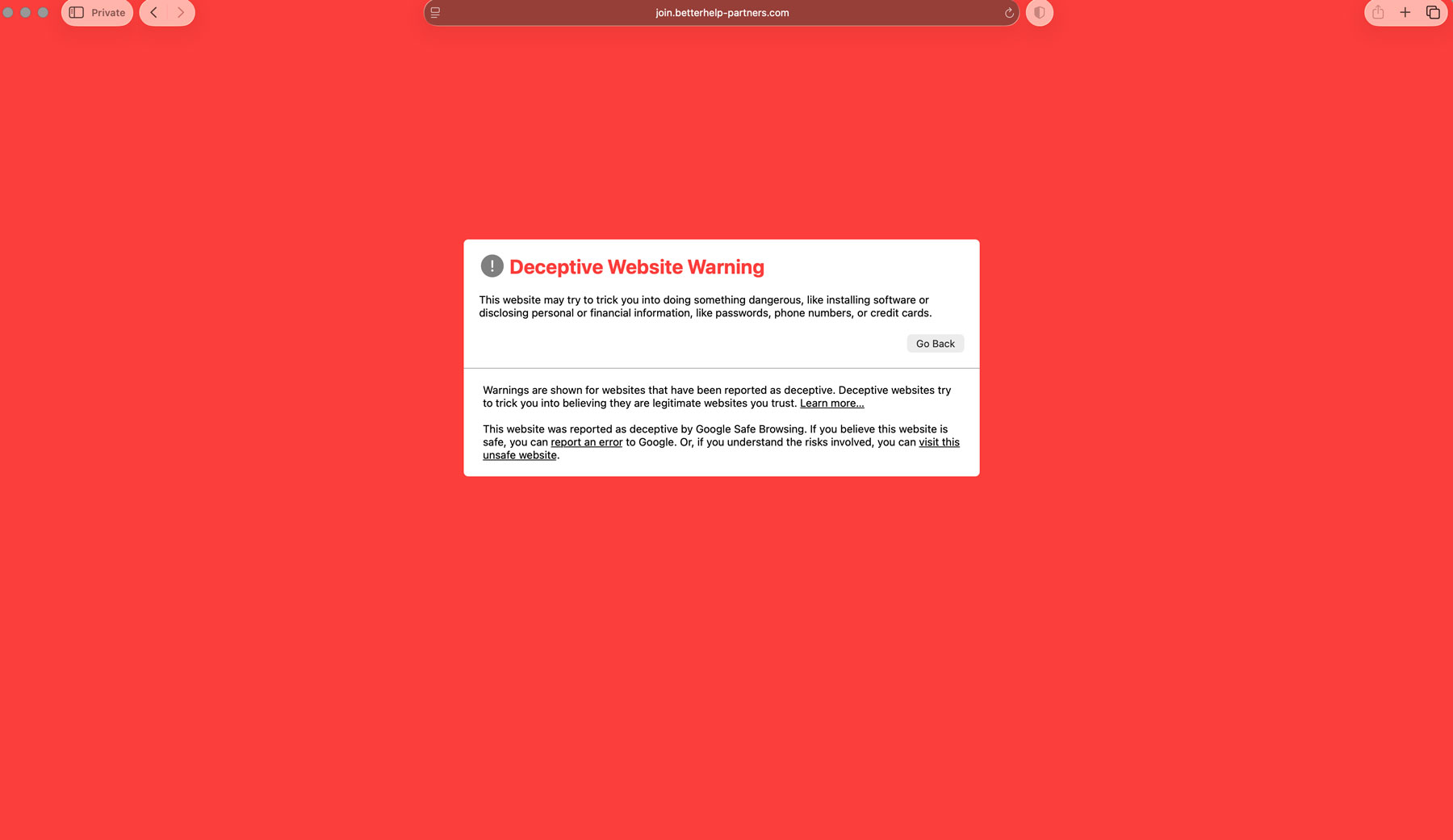
It used to be so easy to spot a scam from a mile away. They said “Hello site owner,” the email address looked bogus, there were typos, and there was never a real-looking website on the other end. I’m here to tell you the scam I fell for was PERFECT. The BetterHelp website looked exactly like the real branding. They used Impact, a name I recognize, so I’d assume I was already logged in. They social engineered me beautifully. Sigh.
This is what the page looks like now… thank God it now will help other people avoid being scammed!
Do this today: Retire the “I’d never fall for that” thinking. If a 25-year internet veteran can get got, anyone can. Slow down whenever something asks you to log in, and let the “wait, why?” thought win.
8. Start Your Account Recovery Where You Pay Google
Once I realized I’d been hacked, my husband and I searched for answers. Supposedly there’s some secret phone number you can call to get help recovering your account. Spoiler: it’s not that simple. I decided to start with Google Fi, my cell phone service, because I pay them about $90 a month for our phone lines. The rep sent me right back to the “verify your account” link. But the SECOND link he sent was different: it asked me a whole bunch of questions. I still had to go back to Google Fi and answer another set, but they FINALLY sent me a link to reset my password, and I got my email and phone number back! YAHOO!
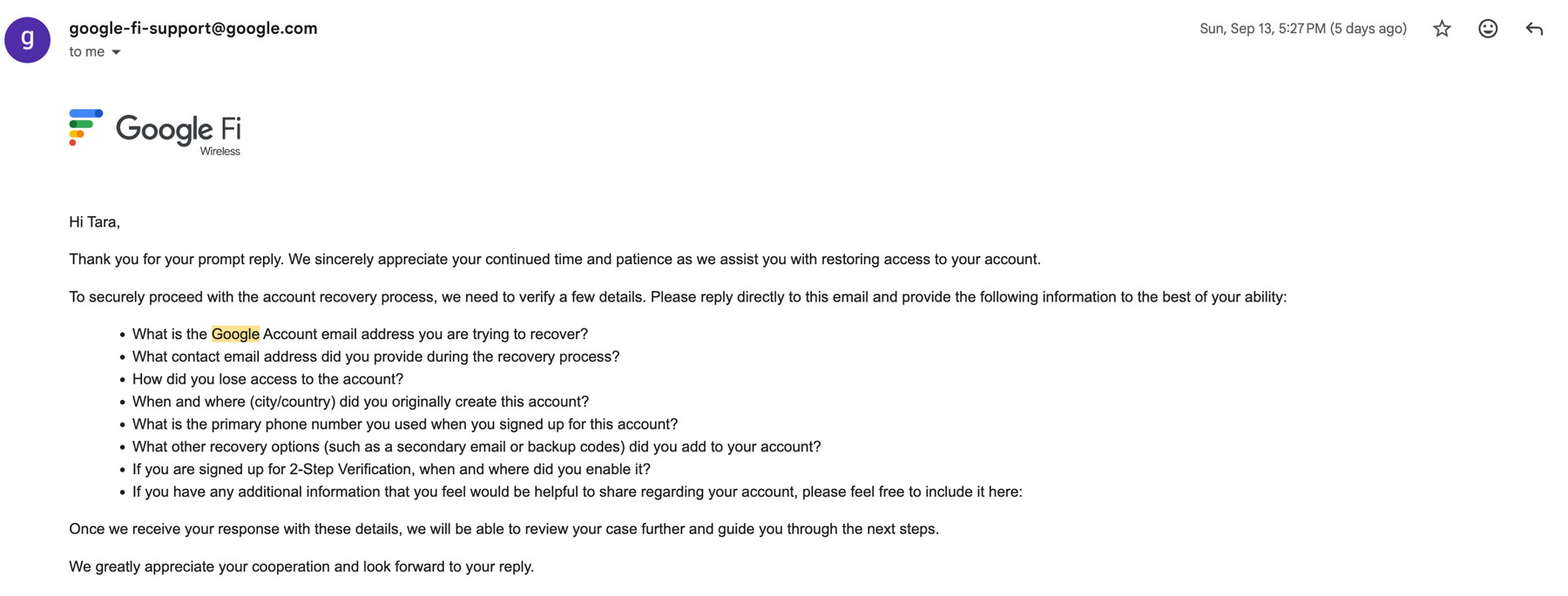
Some support teams will tell you they can’t help because they can’t verify your account (BECAUSE YOU GOT HACKED, ARGGGG). Keep going until you find someone willing to verify you another way. For me, the winning move was the last four digits of the credit card I use to pay the bill.
Do this today: Make a list of every Google service you pay for, like Google Fi, Google Workspace, Google One storage, or Google Ads. That list is your recovery roadmap if you’re ever locked out.
9. Give Google as Much Proof as You Possibly Can
No matter how you try to get your account back, give them the most information you can. I had been out of town the week before and used my phone, so that went into my answers. I also had screenshots of my videos and pictures of me that matched the photo on my outgoing email. Anything that shows you’re you and that this is YOUR account is worth including.
Do this today: Start a folder now (on something that isn’t your Google account!) with screenshots of your channel or business dashboard, your profile photo, and a note of the last few places you logged in from. Future you will be so grateful.
10. Keep Asking (and Escalate to a Manager) Until You Get Help
I have friends who’ve gotten their accounts back after being hacked, so I KNEW it was possible. That belief kept me going, and it’s the most important thing I can tell you if you’re in the thick of it right now. It won’t be overnight. It took me a little over a week to get my email and phone number back, and my YouTube channel is still a work in progress. It takes patience to ask, and ask, and ask again. If you feel like you’re getting stalled, ask for it to be escalated to a manager. Meanwhile, the spammers got my channel taken down with NFL copyright claims, which honestly beats the “corn with a P” they could have posted instead.
Do this today: If you’re locked out right now, take a breath, make a note of every rep you talk to and when, and keep going. If any one of us can do this, ALL of us can.
11. Take Stock of Everything Tied to Your Google Account
This one is a real gut-punch. My Gmail was connected to SO much: decades of family photos and videos on Google Drive, my YouTube payments, my phone number through Google Fi, and things I still haven’t thought of. When one account is the key to your whole life, a hack becomes a data privacy and identity theft nightmare in one fell swoop. I feel silly that I didn’t protect it better, right on down to not having enough protections on it.
Do this today: Grab a notebook and jot down everything that would go down with your Google account. Then back up anything irreplaceable (hello, kid photos!) somewhere else, so one hacked account can never take your memories with it.
Keep Your Digital Security Tips Handy
I KNOW, it sucks to have been suckered. But if you take nothing else from my story, take this: get your online security in order BEFORE you need it. Set up your passkey, turn on two-step verification, download those backup codes, and never type a password after clicking a link. If you’ve already been hacked, I’m with you in spirit, fighting right alongside you to get it back. Hopefully these digital security tips for real people help you skip the drama I went through!
Want to go deeper? If the social engineering part fascinated (and horrified) you like it did me, check out The Art of Deception by Kevin Mitnick, a classic on how con artists manipulate people into handing over access. His memoir Ghost in the Wires reads like a thriller. Both are great listens on Audible, and you can start a free trial through my link here.
XOXO,
Tara
The post What I Learned When My Business Google Account Got Hacked (11 Digital Security Tips for Real People) appeared first on Marketing Artfully.
Source: https://marketingartfully.com/what-i-learned-when-my-business-google-account-got-hacked-11-digital-security-tips-for-real-people/
Anyone can join.
Anyone can contribute.
Anyone can become informed about their world.
"United We Stand" Click Here To Create Your Personal Citizen Journalist Account Today, Be Sure To Invite Your Friends.
Before It’s News® is a community of individuals who report on what’s going on around them, from all around the world. Anyone can join. Anyone can contribute. Anyone can become informed about their world. "United We Stand" Click Here To Create Your Personal Citizen Journalist Account Today, Be Sure To Invite Your Friends.
LION'S MANE PRODUCT
Try Our Lion’s Mane WHOLE MIND Nootropic Blend 60 Capsules
Mushrooms are having a moment. One fabulous fungus in particular, lion’s mane, may help improve memory, depression and anxiety symptoms. They are also an excellent source of nutrients that show promise as a therapy for dementia, and other neurodegenerative diseases. If you’re living with anxiety or depression, you may be curious about all the therapy options out there — including the natural ones.Our Lion’s Mane WHOLE MIND Nootropic Blend has been formulated to utilize the potency of Lion’s mane but also include the benefits of four other Highly Beneficial Mushrooms. Synergistically, they work together to Build your health through improving cognitive function and immunity regardless of your age. Our Nootropic not only improves your Cognitive Function and Activates your Immune System, but it benefits growth of Essential Gut Flora, further enhancing your Vitality.
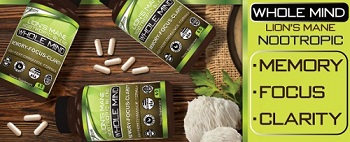
Our Formula includes: Lion’s Mane Mushrooms which Increase Brain Power through nerve growth, lessen anxiety, reduce depression, and improve concentration. Its an excellent adaptogen, promotes sleep and improves immunity. Shiitake Mushrooms which Fight cancer cells and infectious disease, boost the immune system, promotes brain function, and serves as a source of B vitamins. Maitake Mushrooms which regulate blood sugar levels of diabetics, reduce hypertension and boosts the immune system. Reishi Mushrooms which Fight inflammation, liver disease, fatigue, tumor growth and cancer. They Improve skin disorders and soothes digestive problems, stomach ulcers and leaky gut syndrome. Chaga Mushrooms which have anti-aging effects, boost immune function, improve stamina and athletic performance, even act as a natural aphrodisiac, fighting diabetes and improving liver function. Try Our Lion’s Mane WHOLE MIND Nootropic Blend 60 Capsules Today. Be 100% Satisfied or Receive a Full Money Back Guarantee. Order Yours Today by Following This Link.


| Visits: | 1,834,745,816 |
| Stories: | 8,719,843 |
Whistler Blowers, Insiders

