

How Zoho Integration Helps Businesses Connect Systems and Automate Daily Workflows

Many businesses use different software applications to manage sales, customer relationships, accounting, inventory, marketing, and customer support. While each tool serves a specific purpose, managing them separately can create unnecessary work.
Employees often move information between applications manually, update the same customer details multiple times, and spend time checking whether records are consistent across departments.
This is where Zoho integration becomes useful.
By connecting Zoho applications with other business tools, companies can create a more connected working environment, reduce repetitive tasks, and make information easier to access.
But how does Zoho integration work, and why should businesses consider it? Let’s explore.
What Is Zoho Integration?
Zoho integration is the process of connecting Zoho applications with other software, platforms, and business systems so they can exchange information and work together.
For example, a company using Zoho CRM to manage customer relationships can connect it with Zoho Books to simplify financial processes. When a sales opportunity becomes a confirmed deal, relevant customer and transaction information can be passed to the accounting workflow.
Businesses can also integrate Zoho with external applications such as:
-
Google Workspace and Microsoft 365
-
QuickBooks and Xero
-
Shopify and WooCommerce
-
WhatsApp and communication platforms
-
Mailchimp and marketing applications
-
ERP and inventory management systems
-
Payment gateways and custom business applications
These connections help reduce manual data entry and make everyday business operations more organized.
Why Do Businesses Need Zoho Integration?
Using multiple applications doesn’t necessarily improve productivity. If those applications cannot communicate with each other, employees may end up doing more administrative work.
Here are some common problems Zoho integration can help address.
1. Reduce Manual Data Entry
Imagine a sales representative receives a new customer enquiry through a website. They enter the information into a spreadsheet and later copy the same details into Zoho CRM.
If another department needs that information, someone may have to enter it again.
Integrating the website with Zoho CRM allows new enquiries to flow directly into the CRM, reducing repetitive work and the chances of manual errors.
2. Improve Customer Information Management
Customer information is often spread across sales, marketing, accounting, and support applications.
This makes it difficult for employees to understand the complete customer journey.
With properly configured Zoho integration, relevant information can be shared between connected systems. Sales teams can access customer details, support teams can review previous interactions, and finance teams can access the information needed for billing.
3. Automate Everyday Business Processes
Many routine activities can be automated through connected applications.
For example:
-
New website enquiries can automatically create CRM leads.
-
Confirmed orders can trigger invoice creation.
-
Customer payment updates can be reflected in connected workflows.
-
Support requests can create tickets automatically.
-
Marketing engagement information can support sales follow-ups.
Automation helps employees spend less time managing repetitive administrative tasks.
4. Improve Team Collaboration
When departments use disconnected applications, sharing information becomes difficult.
A properly integrated Zoho environment allows teams to access relevant information without constantly requesting updates from other departments.
This can improve communication between sales, finance, marketing, inventory, and customer support teams.
Popular Zoho Integrations Businesses Should Consider
The right integrations depend on the applications a business already uses and the problems it wants to solve.
Here are some common examples.
Zoho CRM Integration
Zoho CRM can be connected with websites, email platforms, marketing applications, accounting software, and other business tools.
For example, integrating website forms with Zoho CRM helps capture enquiries automatically. Sales representatives can then track leads, manage follow-ups, and monitor opportunities from one place.
Zoho Books Integration
Connecting Zoho Books with CRM, inventory, or e-commerce platforms can simplify financial workflows.
For example, when an online order is placed, the integration can help transfer relevant order and customer details into the invoicing process.
This reduces the need to manage orders and billing information separately.
Zoho Inventory Integration
Businesses that manage products and online orders can benefit from connecting Zoho Inventory with e-commerce platforms such as Shopify and WooCommerce.
Depending on the integration setup, businesses can synchronize product information, orders, and stock updates across connected systems.
This makes inventory management easier and helps teams maintain more consistent information.
Zoho Desk Integration
Customer support teams need access to accurate customer information to resolve enquiries effectively.
Integrating Zoho Desk with Zoho CRM allows support representatives to access relevant customer records and interaction history.
This helps teams understand customer issues without switching between multiple disconnected applications.
Zoho Campaigns Integration
Connecting Zoho Campaigns with Zoho CRM helps businesses coordinate marketing activities and customer information.
Marketing teams can manage relevant contact lists and use available campaign engagement information to improve their communication strategies.
What Are the Different Ways to Integrate Zoho With Other Applications?
There isn’t just one way to connect Zoho with external software. The right approach depends on your technical requirements and existing systems.
Native integrations: Some applications offer built-in connections that allow businesses to connect systems with relatively little development work.
Zoho Flow: This automation platform helps connect Zoho applications with supported third-party services and automate workflows between them.
API integration: Custom API development is useful when businesses need more control over how information moves between Zoho and specialized applications.
Middleware solutions: Tools such as Zapier or custom middleware can help connect applications when a direct integration isn’t available or suitable.
Before selecting an approach, businesses should consider their data structure, integration requirements, security needs, and long-term maintenance plans.
Common Zoho Integration Challenges and How to Avoid Them
Although integration can simplify business operations, a poorly planned connection may create additional problems.
Here are some challenges businesses should consider.
Data duplication: When multiple systems exchange information without proper record matching, duplicate customer or transaction records can appear. Define unique identifiers and matching rules before enabling synchronization.
Incorrect field mapping: Different applications may use different names or formats for the same information. Map fields carefully and test the data before going live.
Synchronization issues: Some integrations may experience failed updates or delays. Establish error notifications, retry procedures, and regular monitoring.
Security concerns: Business applications often contain sensitive customer and financial information. Use secure authentication, appropriate access permissions, and reliable data-transfer methods.
Unnecessary automation: Automating every activity can make workflows difficult to understand and maintain. Start with processes that solve genuine business problems.
How to Plan a Successful Zoho Integration
A successful integration starts with understanding how your business currently operates.
Follow these steps before connecting your applications:
-
Identify your business requirements: Determine which processes need improvement and which applications should communicate with each other.
-
Review your existing systems: Understand your current software, data structure, workflows, and integration limitations.
-
Choose the right integration method: Decide whether native connectors, Zoho Flow, middleware, or custom APIs are suitable.
-
Map your data: Define which information should move between applications and how fields should match.
-
Test the integration: Use sample records to check data accuracy, workflow triggers, and error handling.
-
Train your employees: Make sure users understand how the connected systems work and what changes in their daily activities.
-
Monitor performance: Review synchronization, errors, and workflow performance regularly to identify areas for improvement.
Following these steps can help businesses avoid unnecessary complications and build integrations that support their actual requirements.
When Should You Hire a Zoho Integration Expert?
Some basic integrations can be configured internally using available connectors. However, professional assistance may be useful when your business has more complex requirements.
Consider working with a Zoho integration expert if:
-
You need to connect multiple applications.
-
Your business requires custom API development.
-
You are experiencing data synchronization problems.
-
Different departments use disconnected systems.
-
Your existing workflows require advanced automation.
-
You need secure integration with ERP or financial systems.
An experienced integration partner can evaluate your existing setup, recommend the right approach, configure data flows, and test the connections before deployment.
For businesses looking for professional assistance, Zoho Integration Services offer solutions for connecting Zoho with third-party applications, accounting platforms, ERP systems, e-commerce tools, and communication applications.
The goal is to create integrations that match existing business processes rather than forcing employees to change how they work unnecessarily.
Final Thoughts
Zoho integration is about more than connecting different software applications. It’s about helping business systems communicate, making information easier to access, and reducing repetitive work across departments.
Whether you want to connect Zoho CRM with your website, automate invoicing through Zoho Books, or synchronize e-commerce orders with inventory, the right integration can make everyday operations more manageable.
Start by identifying the processes that consume the most time, understand which applications need to exchange information, and choose an integration approach that can support your future business growth.
A well-connected business environment helps employees focus less on managing software and more on serving customers and achieving business goals.
Anyone can join.
Anyone can contribute.
Anyone can become informed about their world.
"United We Stand" Click Here To Create Your Personal Citizen Journalist Account Today, Be Sure To Invite Your Friends.
Before It’s News® is a community of individuals who report on what’s going on around them, from all around the world. Anyone can join. Anyone can contribute. Anyone can become informed about their world. "United We Stand" Click Here To Create Your Personal Citizen Journalist Account Today, Be Sure To Invite Your Friends.
LION'S MANE PRODUCT
Try Our Lion’s Mane WHOLE MIND Nootropic Blend 60 Capsules
Mushrooms are having a moment. One fabulous fungus in particular, lion’s mane, may help improve memory, depression and anxiety symptoms. They are also an excellent source of nutrients that show promise as a therapy for dementia, and other neurodegenerative diseases. If you’re living with anxiety or depression, you may be curious about all the therapy options out there — including the natural ones.Our Lion’s Mane WHOLE MIND Nootropic Blend has been formulated to utilize the potency of Lion’s mane but also include the benefits of four other Highly Beneficial Mushrooms. Synergistically, they work together to Build your health through improving cognitive function and immunity regardless of your age. Our Nootropic not only improves your Cognitive Function and Activates your Immune System, but it benefits growth of Essential Gut Flora, further enhancing your Vitality.
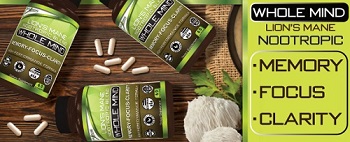
Our Formula includes: Lion’s Mane Mushrooms which Increase Brain Power through nerve growth, lessen anxiety, reduce depression, and improve concentration. Its an excellent adaptogen, promotes sleep and improves immunity. Shiitake Mushrooms which Fight cancer cells and infectious disease, boost the immune system, promotes brain function, and serves as a source of B vitamins. Maitake Mushrooms which regulate blood sugar levels of diabetics, reduce hypertension and boosts the immune system. Reishi Mushrooms which Fight inflammation, liver disease, fatigue, tumor growth and cancer. They Improve skin disorders and soothes digestive problems, stomach ulcers and leaky gut syndrome. Chaga Mushrooms which have anti-aging effects, boost immune function, improve stamina and athletic performance, even act as a natural aphrodisiac, fighting diabetes and improving liver function. Try Our Lion’s Mane WHOLE MIND Nootropic Blend 60 Capsules Today. Be 100% Satisfied or Receive a Full Money Back Guarantee. Order Yours Today by Following This Link.


| Visits: | 1,837,541,189 |
| Stories: | 8,733,359 |
Whistler Blowers, Insiders

