
Linux Desktop Environment Round Up


A year and a half ago I did an entry entitled “Overview and Explanation of Linux Desktop Environments“. Anyone that is in the technology field (or knows even a little bit about it) knows that 18 months is a like a life time in the world of tech. Today I would like to re-cap my previous post with a few additions that have been added in recent months and mention a few desktops I missed last time.
I’m going to list a good deal of desktops today, so in order to keep things organized I’m going to group them based on the toolkit they are written in.
Gnome Shell -
The flagship desktop for a number of popular Linux distributions (including Red Hat’s community driven Fedora). Gnome Shell has taken a good deal of flak in recent months due to the drastic changes this release implemented compared to the previous Gnome 2 version. As of this posting the latest version of Gnome Shell is 3.2 and it looks something like this:
Gnome Shell is written in C (and some Java Script) and utilizes the GTK3 toolkit.
Mate -
This is a fairly recent fork of the code base of the older Gnome 2 desktop. With the idea of “don’t fix what isn’t broken” the Mate desktop sticks to maintaining the a Gnome 2 desktop experience without making drastic changes. For many Linux users it will be a familiar and welcoming experience:
Since Mate is a fork of the old Gnome 2 code base it utilizes the GTK2 toolkit. Mate is still a very new project and as such no Linux distributions use it as their default desktop currently.
Unity -
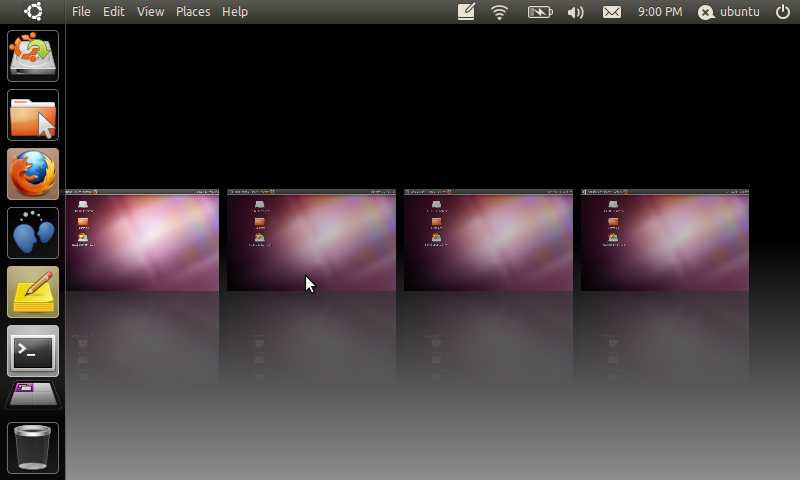
The brainchild of Ubuntu’s SABDFL, Unity is a desktop also written in the GTK3 toolkit. Similar to Gnome Shell, Unity brought with it drastic change to the Linux desktop experience. Whether that change is for better or worse really depends on who you ask. The Unity desktop is fairly new, but it has gone through heavy development work in the last year due to the large testing base of the Ubuntu community and the other resources Canonical has available to them. At any rate when you first load Unity your desktop will look something like:
Unity is the default desktop for the Ubuntu Linux distribution.
LXDE -
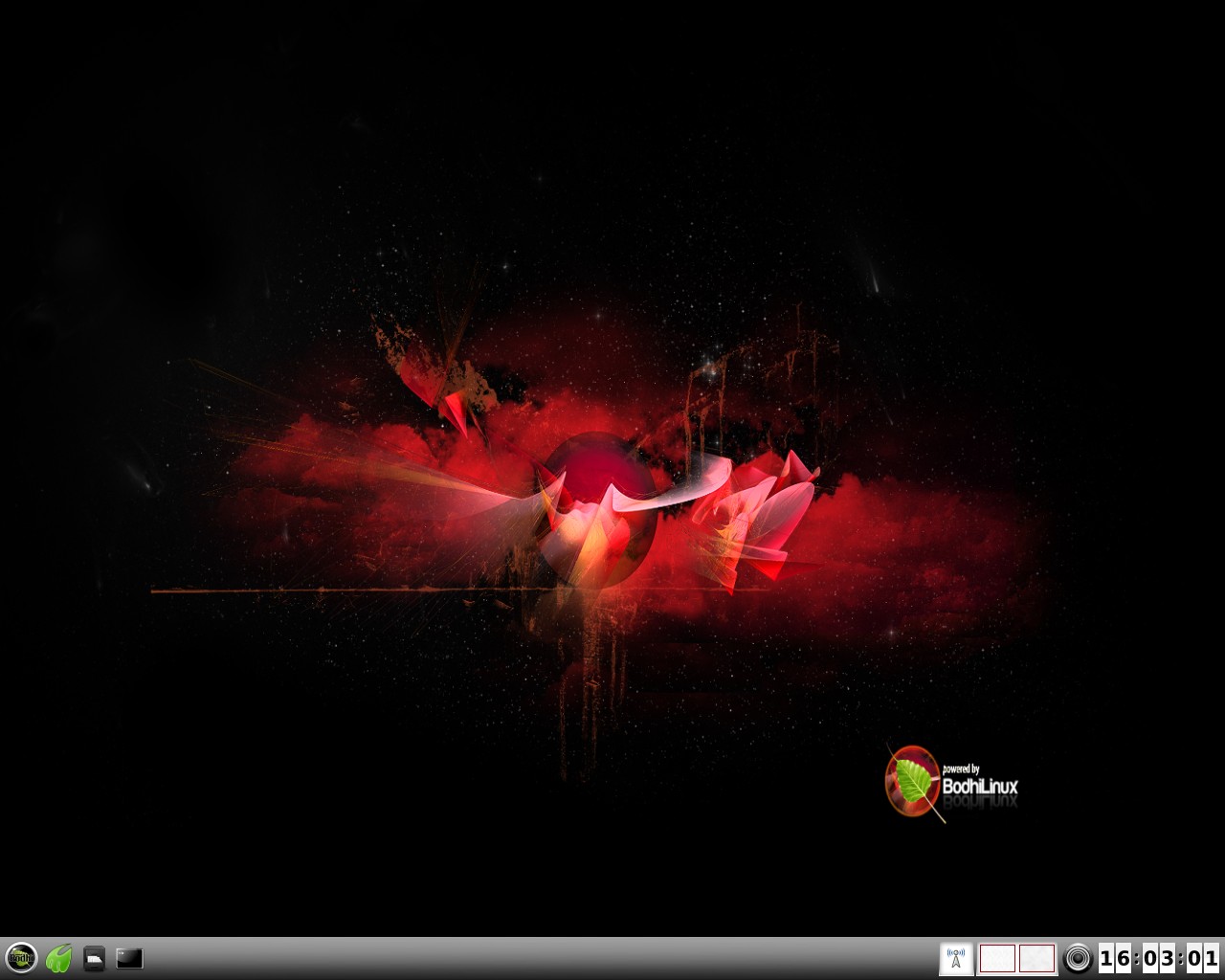
This desktop utilizes the GTK2 toolkit and has a focus on speed. Written to be lightweight LXDE will take only a small toll on your computer’s resources. One of the best things about LXDE is that all of it’s pieces are fully independent. This means you can use the LXDE file manager (or any other part) under any other desktop without having to install all of LXDE with it. LXDE is a more traditional desktop setup and has a similar default layout to Windows 2000/XP:
LXDE is the default desktop of the Peppermint Linux distribution.
XFCE -
Slightly older and more mature than LXDE, XFCE is also a desktop written in GTK2 that is designed to be lightweight. XFCE latest version as of this posting is 4.8 and it’s default layout looks something like:
The primary version of Salix OS features the XFCE desktop.
Cinnamon -
This is a very new desktop. So new in fact that if you click the above link you will see it simply goes to a GITHub page. Cinnamon is a fork of the Gnome Shell code base that is going to be maintained by the Linux Mint developers. It’s goal is to utilize advanced features the GTK3 toolkit while still providing a more traditional desktop experience. An early screenshot of this desktop looks something like:
This is only speculation, but since the Linux Mint team is going to be maintaining this desktop one would guess that their distribution will be using it eventually as their default desktop.
KDE -
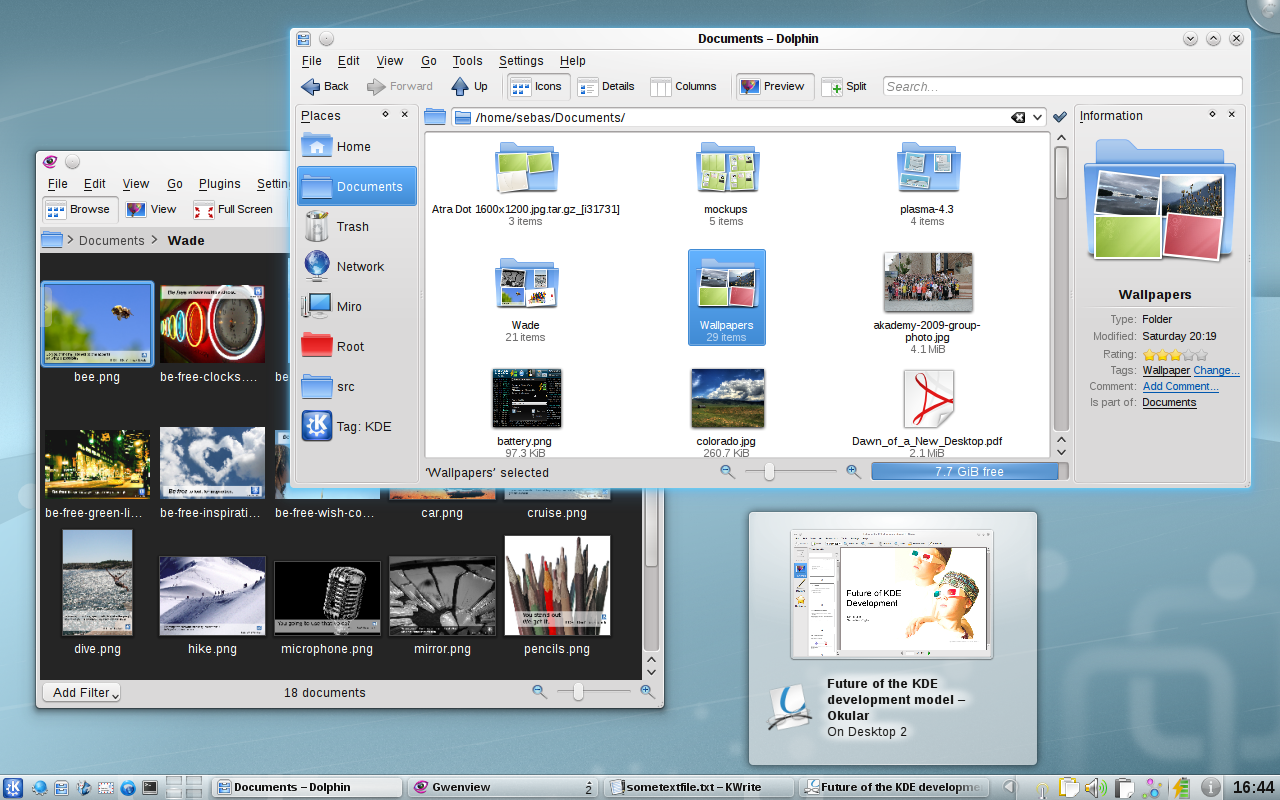
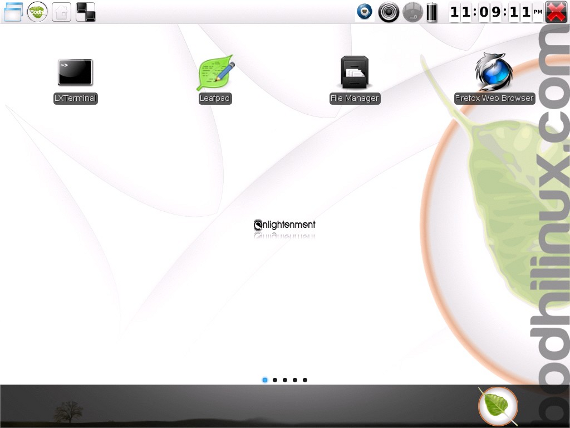
And a “netbook” layout that is optimized for small/touch screens:
As of this posting KDE’s latest stable release is 4.7. In my opinion Chakra Linux provides one of the best KDE experiences to date.
Trinity -
At this current point there are not any Linux distributions that use Trinity as their default desktop.
Razor -
Sometimes called “Razor QT” is what I would call the “LXDE” of QT desktop environments. It aims to be modern and functional while still maintaining a light weight status. This is also a fairly new project as far a software goes (currently only at a 0.4 release), but it is functional. Currently it’s default desktop looks fairly close to this:
As of yet there are no Linux distributions that use Razor QT as their default desktop.
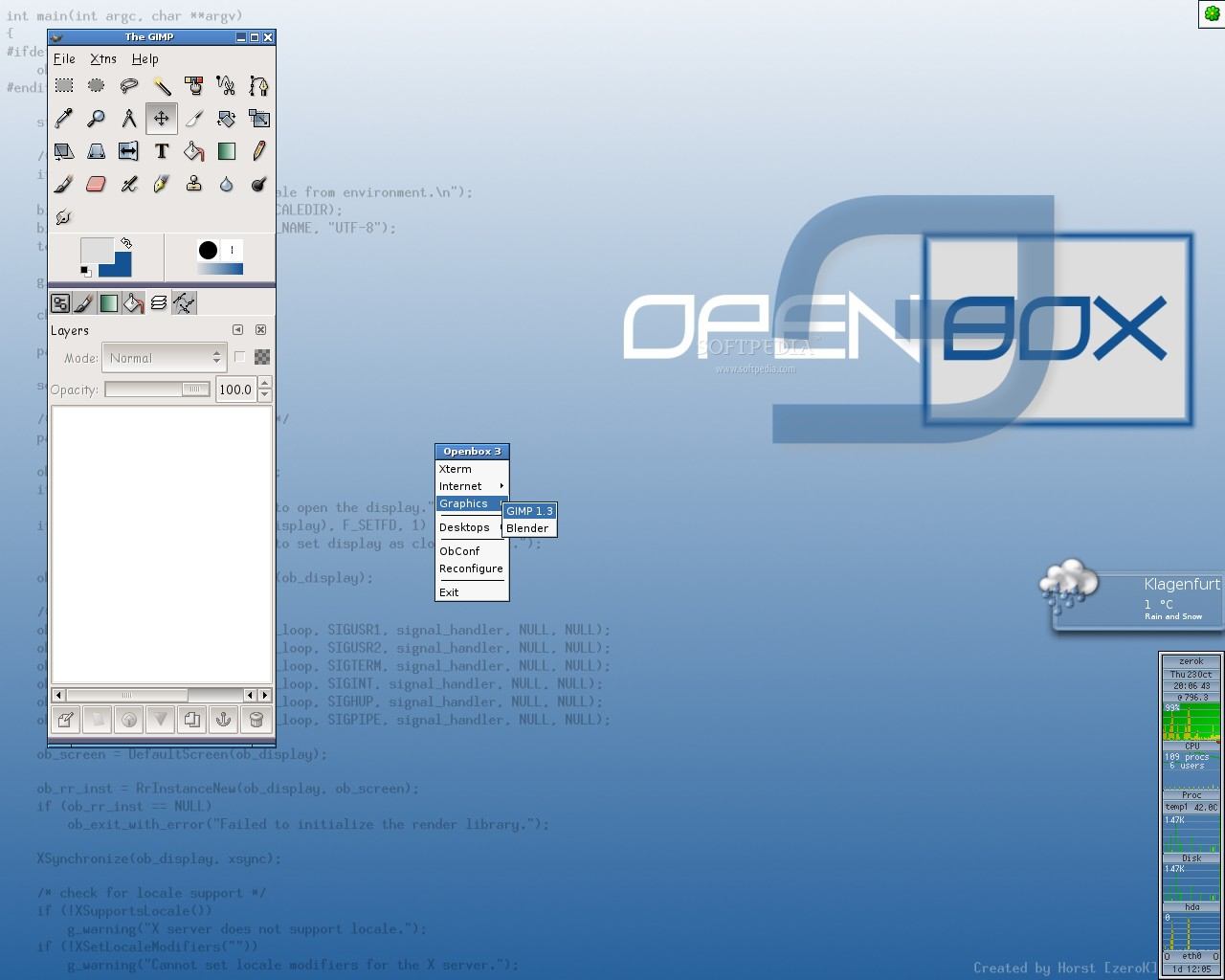
Beyond the various desktops, there are a number of Window Managers that can be used either in combination with the above desktops or on their own. I am only going to talk about one of these Window Managers today, but you can find a fairly good list of them here.
Openbox -
Visit and read my articles at http://jeffhoogland.blogspot.com/
Read more at Thoughts on Technology
Source:
Anyone can join.
Anyone can contribute.
Anyone can become informed about their world.
"United We Stand" Click Here To Create Your Personal Citizen Journalist Account Today, Be Sure To Invite Your Friends.
Before It’s News® is a community of individuals who report on what’s going on around them, from all around the world. Anyone can join. Anyone can contribute. Anyone can become informed about their world. "United We Stand" Click Here To Create Your Personal Citizen Journalist Account Today, Be Sure To Invite Your Friends.
LION'S MANE PRODUCT
Try Our Lion’s Mane WHOLE MIND Nootropic Blend 60 Capsules
Mushrooms are having a moment. One fabulous fungus in particular, lion’s mane, may help improve memory, depression and anxiety symptoms. They are also an excellent source of nutrients that show promise as a therapy for dementia, and other neurodegenerative diseases. If you’re living with anxiety or depression, you may be curious about all the therapy options out there — including the natural ones.Our Lion’s Mane WHOLE MIND Nootropic Blend has been formulated to utilize the potency of Lion’s mane but also include the benefits of four other Highly Beneficial Mushrooms. Synergistically, they work together to Build your health through improving cognitive function and immunity regardless of your age. Our Nootropic not only improves your Cognitive Function and Activates your Immune System, but it benefits growth of Essential Gut Flora, further enhancing your Vitality.

Our Formula includes: Lion’s Mane Mushrooms which Increase Brain Power through nerve growth, lessen anxiety, reduce depression, and improve concentration. Its an excellent adaptogen, promotes sleep and improves immunity. Shiitake Mushrooms which Fight cancer cells and infectious disease, boost the immune system, promotes brain function, and serves as a source of B vitamins. Maitake Mushrooms which regulate blood sugar levels of diabetics, reduce hypertension and boosts the immune system. Reishi Mushrooms which Fight inflammation, liver disease, fatigue, tumor growth and cancer. They Improve skin disorders and soothes digestive problems, stomach ulcers and leaky gut syndrome. Chaga Mushrooms which have anti-aging effects, boost immune function, improve stamina and athletic performance, even act as a natural aphrodisiac, fighting diabetes and improving liver function. Try Our Lion’s Mane WHOLE MIND Nootropic Blend 60 Capsules Today. Be 100% Satisfied or Receive a Full Money Back Guarantee. Order Yours Today by Following This Link.


| Visits: | 1,821,426,325 |
| Stories: | 8,672,263 |
Whistler Blowers, Insiders